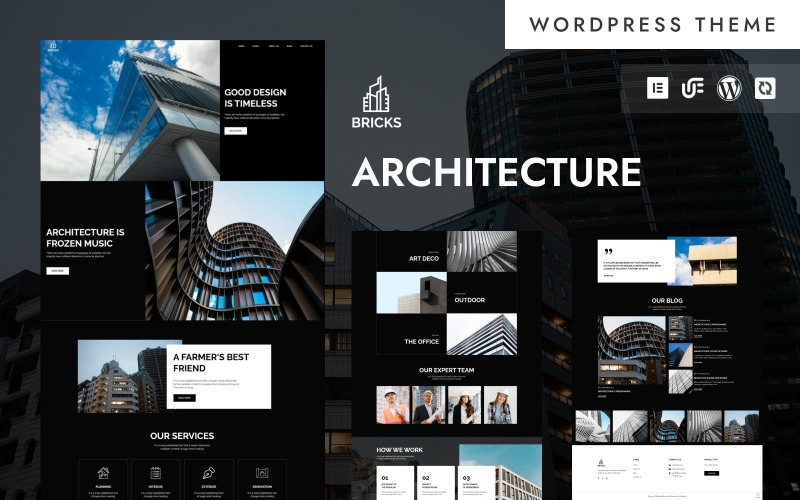
Bricks – Modern Architecture & Construction WordPress Elementor Theme
Introduction
The Bricks – Modern Architecture & Construction WordPress Elementor Theme is a premium, feature-rich WordPress theme designed specifically for architects, construction companies, interior designers, real estate firms, and related businesses. Built with the powerful Elementor page builder, this theme provides a visually stunning, highly customizable, and user-friendly experience, making it ideal for professionals who want to showcase their portfolio, services, and projects in an aesthetically appealing way.
With a sleek, modern design and a suite of advanced features, Bricks ensures that businesses in the construction and architecture industry can establish a strong online presence. Whether you’re a contractor looking to attract new clients or an architect wanting to showcase your latest designs, this theme offers a dynamic solution to meet your needs.
Key Features
1. Fully Responsive Design
Bricks is designed to work seamlessly across all devices, from desktops to smartphones and tablets. The theme ensures that your website looks perfect on any screen size, providing an optimal user experience for visitors.
2. Elementor Page Builder
This theme is powered by Elementor, one of the most popular drag-and-drop page builders. With zero coding knowledge required, users can easily customize layouts, add widgets, and modify design elements with ease.
3. Pre-Built Demos & Templates
Bricks comes with multiple pre-designed demo websites tailored for different aspects of architecture and construction. Users can import these demos with a single click and customize them to match their brand identity.
4. WooCommerce Compatibility
For businesses looking to sell construction-related products, materials, or services, Bricks is fully compatible with WooCommerce, allowing for seamless e-commerce integration.
5. Portfolio & Project Showcases
A key feature for architects and construction firms is the ability to showcase projects in a visually appealing way. Bricks includes multiple portfolio layouts, gallery options, and interactive elements to highlight previous work and ongoing projects.
6. Customizable Header & Footer
With Elementor’s header and footer builder, users can create custom navigation menus, add branding elements, and optimize their site’s structure for better usability and engagement.
7. SEO-Optimized & Fast Loading
Bricks is built with clean code and optimized for search engines (SEO), ensuring that your website ranks higher on search engine results. Additionally, the theme is lightweight and optimized for fast loading speeds, improving user experience and retention rates.
8. Advanced Typography & Color Customization
With Google Fonts integration and an advanced color palette, Bricks allows users to create a unique brand identity. The theme offers unlimited customization options to match the design needs of any business.
9. Contact Forms & Lead Generation
Bricks supports popular form builders like Contact Form 7, WPForms, and Gravity Forms, making it easy to capture leads, inquiries, and project requests.
10. One-Click Demo Import
For users who want to set up their website quickly, Bricks offers a one-click demo import feature. This allows users to replicate the demo design and customize it according to their needs.
11. Multi-Language & RTL Support
Bricks is WPML-compatible, allowing users to create multilingual websites. It also supports Right-to-Left (RTL) languages, making it suitable for international businesses.
12. Integration with Popular Plugins
Bricks seamlessly integrates with popular WordPress plugins, including:
- Yoast SEO for search engine optimization
- WPBakery for additional page-building options
- Slider Revolution for advanced slider designs
- MailChimp for email marketing
Ideal Use Cases
The Bricks theme is ideal for:
- Architectural Firms – Showcase design portfolios, past projects, and services.
- Construction Companies – Highlight services, completed projects, and client testimonials.
- Interior Designers – Present home and office interior design concepts.
- Real Estate Agencies – List properties with dynamic visuals and interactive elements.
- Engineering Consultants – Display services, case studies, and industry expertise.
Installation & Setup
Step 1: Purchase & Download
To get started, purchase the Bricks WordPress Theme from a reputable marketplace, download the theme file, and extract it.
Step 2: Install WordPress
Ensure that you have WordPress installed on your hosting server. Most web hosts offer one-click WordPress installation.
Step 3: Upload the Theme
- Go to Appearance > Themes in your WordPress dashboard.
- Click on Add New > Upload Theme and select the Bricks theme file.
- Click Install Now and then Activate.
Step 4: Import Demo Content (Optional)
To replicate the demo site, use the One-Click Demo Import tool. Navigate to Appearance > Import Demo Data and select a preferred demo layout.
Step 5: Customize with Elementor
Use Elementor to edit the homepage, inner pages, and layouts. Drag and drop widgets, adjust sections, and tweak design elements to match your brand.
Step 6: Configure Plugins & Widgets
Install and activate required plugins such as WooCommerce, Contact Form 7, and Yoast SEO. Configure widgets like recent projects, service listings, and testimonials.
Step 7: Optimize for Performance
Use caching plugins like WP Rocket or W3 Total Cache to improve site speed. Optimize images with Smush or Imagify to reduce load times.
Step 8: Launch Your Website
Once all customizations are complete, test your website for responsiveness, performance, and functionality. Then, publish it for your audience to see!
Conclusion
The Bricks – Modern Architecture & Construction WordPress Elementor Theme is an outstanding choice for professionals in the architecture and construction industry. With its powerful design, extensive customization options, and seamless Elementor integration, it allows businesses to build a stunning online presence without requiring technical expertise. Whether you are showcasing your portfolio, offering construction services, or running an architectural blog, Bricks provides a dynamic and highly adaptable solution.
With its modern aesthetics, mobile responsiveness, and performance optimization, Bricks ensures that your website remains visually engaging and functionally robust, helping you attract more clients and grow your business effortlessly.







Reviews
There are no reviews yet.